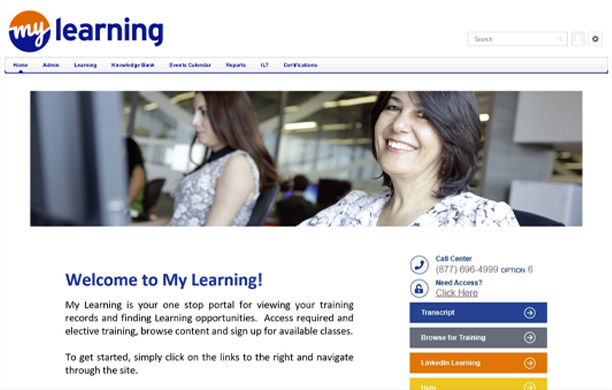


The LMS (Learning Management System), also known as My Learning, is an administrative platform used to assign, track, and report on training taking place within the company. This section provides an overview of the LMS and where to find LMS resources, an introduction to the Staging site which simulates the LMS environment for course testing, and instructions for requesting administrator access. Those who work with contractors will also find information on how to access the Contractor Training System (CTS).
Use the buttons below to learn more about the LMS, its administrative role options, and some of its featured tools.



LMS stands for Learning Management System, a general term for software that provides learning opportunities to people in organizations. Our main LMS is a Cornerstone product and is branded as My Learning for the Sempra family of companies.
Employees:
To browse for, enroll in, and complete training, as well as review their transcripts for upcoming training, completed training, and curriculum progress (if applicable).
LMS Administrator:
To support their team or leader to add classes, assign training, track attendance, and run training reports.
Not finding what you're looking for? Contact us today!

The Contractor Training System (CTS) is the platform where training can be accessed by contractors, like the LMS available to employees. Different groups across the enterprise use the CTS to provide mandatory training to all contractors (from all vendors).
Go to the IT Service Now page: QuickTicket for ServiceNow - Self Service Portal (service-now.com). Open a ticket with "CTS Application" as keyword in the "short description line."
Not finding what you're looking for? Contact us today!

The most customized self-help resources for our LMS / My Learning can be found in the "Knowledge Bank" tab of My Learning.
Other self-help resources from Cornerstone can be found through the "Help Menu" in the LMS / My Learning settings.
Not finding what you're looking for? Contact us today!
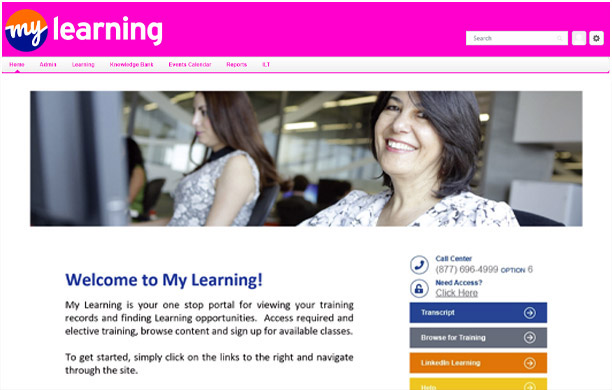
Staging is a part of the LMS that allows for testing of learning objects such as self-paced web-based (E-Learning) courses prior to launch.
Staging is used to test courses and identify changes that need to be made prior to going live in "Production." (The employee-facing side of the LMS.) Editing learning objects on the front end in Staging is easier and has fewer impacts on learners than editing them after they have gone live in Production.
Not finding what you're looking for? Contact us today!
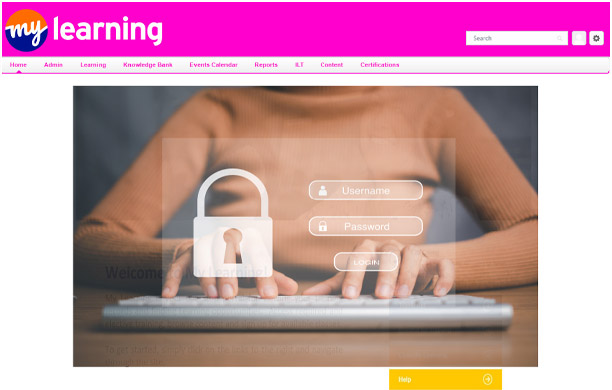
Course Owners with online courses are required to use Staging to test courses, and SMEs or team members identified as course testers will also need access to Staging in order to view and test courses. Only current LMS Course Owners can request access to Staging.
Staging access can be requested by submitting a My Learning support ticket through the following steps:
Not finding what you're looking for? Contact us today!
Not finding what you're looking for? Contact us today!

Who can become a Report Administrator?
Any employee can request access to be a Report Administrator.
Capabilities:
Report Administrators have access to Reporting 2.0 which combines multiple report functionality into a single tool. Dashboard reports and transcript reports are also available to Report Administrators. These tools can generate reports showing training completions for specific courses, for specific employees or business units, and many other customizable queries.
Expectations:
Report Administrators are expected to limit reporting data to that which is necessary for business use.
Not finding what you're looking for? Contact us today!

Who can become a Session Administrator?
Any employee can request access to be a Session Administrator.
Capabilities:
Session Administrators have access to create training records associated with instructor-led training (ILT) including adding new sessions (instances of a class with a date and time) to the LMS, managing waitlists, and marking attendance after a session concludes.
Expectations:
Session Administrators are expected to limit their session activities to courses that are owned by their group (e.g. not marking attendance for other groups' courses), to reach out to the course's training contact if they have any questions or concerns, and to limit their activities to those which are necessary for business use.
How to Request Access and Get Training | InAttendance | ILT Session Automation BOT
Not finding what you're looking for? Contact us today!

Who can become a Course Owner?
Any management level employee can request to become a Course Owner.
Capabilities:
Course owners have elevated access allowing them to manage and maintain all their training content within My Learning. This includes creating and editing materials, videos, events (course codes), tests, curriculums, uploading online content, assigning training, and reporting.
Expectations:
Course Owners are expected to limit their course creation and edits to only courses owned by their group, remove from user's transcripts only courses that are owned by their group, create Call Center scripts for all courses being uploaded to the LMS, document all processes and requirements related to dynamic assignments, and follow all expectations outlined for Session and Report Administrators.
Not finding what you're looking for? Contact us today!